
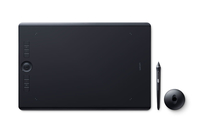
Wacom Intuos Pro L South - Wired & Wireless
430 x 287 x 8mm - Pro Pen 2 - 8192 pen pressure levels - 8 ExpressKeys - Bluetooth
Brand: Wacom
SKU: PTH-860-S
£0.00
Price excl. VAT
£0.00
Price incl. VAT
Out of stock

Do you have any question about this product? Click here to contact our pre-sales consultant and make the right purchase.
Buy with confidence: honest stock, fair trade terms
Better prices with correct stock availability, and secure payments with full transparency.
- Aggregated live stock: availability shown is the combined aggregated stock of our warehouses and partner distributors, updated in real time. If it says available, it is available.
- No charge until confirmed: your payment is only reserved at checkout and is charged once your item is secured.
- 24-hour free cancellation: changed your mind? Cancel within 24 hours and the reserved payment is released in full.
- Stock sold out? Full refund: if an item becomes unavailable after you order, we cancel and release or refund 100% of your payment.
- From Our Warehouse to Your Door. every order is checked, packed at our warehouses and dispatched with DHL Express, UPS or FedEx as DDP – No customs or duties to pay. No hidden charges
- Fair cancellation and return terms: for late cancellations or returns of expensive, special-order items without a fault, a fee of up to 5-10% may apply, covering only actual shipping and handling costs to sustain our business. Faulty items and RMA cases are never charged. No late-payment fees, no interest ever. Full terms
 NOTE: The information below is provided for your convenience only; the accuracy of the specifications cannot be guaranteed. However, if necessary, please check with us before purchasing. Data provided by 1 World Sync.
General
Connectivity technology
Wired & Wireless
Resolution
5080 lpi
Working area
311 x 216 mm
Tilt angle range
-60 - 60 °
Certification
US: FC, CEC (California Energy Commision), RBRC, Mercury Labeling Requirements, Canada: IC, ENERGY EFFICIENCY STANDARDS REGULATION, Colombia: Commission de Regulacion de Telecomunicaciones, Costa Rica: SUTEL, Panama: Autoridad Nacional de los Servicios Públicos, Uruguay: URSEC, Guatemala: SIT, Nicaragua: Telcor, El Salvador: Superintendencia General de Electricidad y Telecomunicaciones, Bolivia: SITTEL, Dominican Republic: INDOTEL, Trinidad and Tobago: TATT, EU/EEA/SW/Turkey: CE, RoHS, Kuwait: Ministry of Communications, Japan: VCCI, Radio Act, China: SRRC (CMIIT), China RoHS, GB, Australia/New Zealand: RCM, IDA, Singapore: IDA
Windows operating systems supported
Windows 10 Education,Windows 10 Education x64,Windows 10 Enterprise,Windows 10 Enterprise x64,Windows 10 Home,Windows 10 Home x64,Windows 10 Pro,Windows 10 Pro x64,Windows 7 Enterprise,Windows 7 Enterprise x64,Windows 7 Home Basic,Windows 7 Home Basic x64,Windows 7 Home Premium,Windows 7 Home Premium x64,Windows 7 Professional,Windows 7 Professional x64,Windows 7 Starter,Windows 7 Starter x64,Windows 7 Ultimate,Windows 7 Ultimate x64,Windows 8,Windows 8 Enterprise,Windows 8 Enterprise x64,Windows 8 Pro,Windows 8 Pro x64,Windows 8 x64,Windows 8.1,Windows 8.1 Enterprise,Windows 8.1 Enterprise x64,Windows 8.1 Pro,Windows 8.1 Pro x64,Windows 8.1 x64
Mac operating systems supported
Mac OS X 10.10 Yosemite,Mac OS X 10.11 El Capitan,Mac OS X 10.12 Sierra
Width
430 mm
Depth
287 mm
Height
8 mm
Cables included
USB
Wacom Intuos Pro L South. Connectivity technology: Wired & Wireless, Resolution: 5080 lpi, Working area: 311 x 216 mm. Tilt angle range: -60 - 60°, Certification: US: FC, CEC (California Energy Commission), RBRC, Mercury Labeling Requirements Canada: IC, ENERGY.... Windows operating systems supported: Windows 10 Education,Windows 10 Education x64 ,Windows 10 Enterprise,Windows 10 Enterprise..., Mac operating systems supported: Mac OS X 10.10 Yosemite, Mac OS X 10.11 El Capitan, Mac OS X 10.12 Sierra. Width: 430 mm, Depth: 287 mm, Height: 8 mm. Cables included: USB
| Estimate Gross Weight | 0.7 |
|---|
https://www.wacom.com/en-us/products/pen-tablets/intuos-pro-overview
Redefining the professional standard in creative pen tablets… with paper
Wacom Intuos Pro Paper Edition combines the very latest Wacom technologies with the drawing paper of your choice to offer a new – but familiar – way of working. Enjoy the feel of drawing with the Finetip Pen on paper while Wacom Intuos Pro Paper Edition captures every stroke, ready for further work in your favorite software. Or connect Wacom Intuos Pro Paper Edition to your computer and work directly into any application you choose with the Wacom Pro Pen 2.
Live. Dare. Create.
Paper-to-digital: the newest, oldest way to work
Artists, designers, illustrators – each has their own way of working. Some are immediately and purely digital; others love paper at the start of their workflow. Wacom Intuos Pro lets you enjoy both.
Paper to digital workflow
Wacom Intuos Pro Paper Edition lets you choose how you work. You can draw in ink on your preferred paper with our 0.4mm Finetip Pen and capture every stroke in real time – ready to edit in your favorite software. You don’t need to be connected to a computer or the Internet; it’ll store up to 200 sketches, ready for you to sync using the Wacom Inkspace app.
Alternatively, connect Wacom Intuos Pro Paper Edition to your computer and work digitally from start to finish with our sensitive Wacom Pro Pen 2 – just the same way as you can with Wacom Intuos Pro.
Direct to digital workflow
Connect Wacom Intuos Pro to your Mac or Windows PC with USB or built-in Bluetooth, install drivers, and you’re ready to start work directly in the software of your choice. Sketch with the new Wacom Pro Pen 2 on the customizable drawing surface* and see your creations brilliantly come to life on screen.
New Wacom Pro Pen 2: an extension of you
Our new Wacom Pro Pen 2 will instantly become your favorite creative tool. With supreme levels of sensitivity and control, it’ll feel like a natural extension of your hand.
- Outstanding pressure sensitivity
- Natural tilt support
- Virtually no lag
- No batteries or recharging
Slim and sleek design
Wacom Intuos Pro comes in both Medium and Large sizes. Each has a smaller, more compact footprint than previous models. Wacom Intuos Pro is built using premium materials such as black anodized aluminum and fiberglass composite resin. The result is a pen tablet that feels reassuringly strong but is a mere 8mm thick.
Included with every Wacom Intuos Pro, the new steel based Pen Stand stores your spare nibs and has a built-in tool to make replacing them super-simple.
Wacom Intuos Pro Paper Edition comes with an Accessory Soft Case for carrying your Paper Clip, pens, and other accessories.
Convert your paper sketches to layered raster and vector formats
Wacom Intuos Pro Paper Edition comes with invaluable Inkspace features specifically designed for artists and designers. They give you total, flexible control over your work:
- Export your work in layered raster or vector formats (such as PSD and SVG)
- Sync your creations across multiple devices
- Share your creative projects with colleagues and clients
Work your way
- Wacom Intuos Pro tablets are designed to let you focus on what’s important – your creativity.
- Customizable ExpressKeysâ„¢ and Touch Ring provide quick and easy shortcuts for everyday tasks.
- Wacom Pro Pen 2’s side switches put shortcuts and controls literally at your fingertips.
- Multi-touch gestures make navigating around your work as simple as using your smartphone.
- Choose from three different Texture Sheets* to change the feel of your Wacom Intuos Pro. Each simulates different drawing papers, from smooth to rough.
* Sold separately
Choose the Wacom Intuos Pro to suit you
Wacom Intuos Pro Paper Edition or Wacom Intuos Pro? The choice is yours. If you prefer to put pen to paper at the start of your workflow, the Wacom Intuos Pro Paper Edition is the one for you. Whereas if you do the bulk of your drawing digitally, Wacom Intuos Pro is the perfect match.
Each is available in two sizes: the lighter and more portable Medium model; and the Large model with a more expansive drawing area.
The previous Intuos Pro model is also available in Small.
Redefining the professional standard in creative pen tablets… with paper
Wacom Intuos Pro Paper Edition combines the very latest Wacom technologies with the drawing paper of your choice to offer a new – but familiar – way of working. Enjoy the feel of drawing with the Finetip Pen on paper while Wacom Intuos Pro Paper Edition captures every stroke, ready for further work in your favorite software. Or connect Wacom Intuos Pro Paper Edition to your computer and work directly into any application you choose with the Wacom Pro Pen 2.
Live. Dare. Create.
Paper-to-digital: the newest, oldest way to work
Artists, designers, illustrators – each has their own way of working. Some are immediately and purely digital; others love paper at the start of their workflow. Wacom Intuos Pro lets you enjoy both.
Paper to digital workflow
Wacom Intuos Pro Paper Edition lets you choose how you work. You can draw in ink on your preferred paper with our 0.4mm Finetip Pen and capture every stroke in real time – ready to edit in your favorite software. You don’t need to be connected to a computer or the Internet; it’ll store up to 200 sketches, ready for you to sync using the Wacom Inkspace app.
Alternatively, connect Wacom Intuos Pro Paper Edition to your computer and work digitally from start to finish with our sensitive Wacom Pro Pen 2 – just the same way as you can with Wacom Intuos Pro.
Direct to digital workflow
Connect Wacom Intuos Pro to your Mac or Windows PC with USB or built-in Bluetooth, install drivers, and you’re ready to start work directly in the software of your choice. Sketch with the new Wacom Pro Pen 2 on the customizable drawing surface* and see your creations brilliantly come to life on screen.
New Wacom Pro Pen 2: an extension of you
Our new Wacom Pro Pen 2 will instantly become your favorite creative tool. With supreme levels of sensitivity and control, it’ll feel like a natural extension of your hand.
- Outstanding pressure sensitivity
- Natural tilt support
- Virtually no lag
- No batteries or recharging
Slim and sleek design
Wacom Intuos Pro comes in both Medium and Large sizes. Each has a smaller, more compact footprint than previous models. Wacom Intuos Pro is built using premium materials such as black anodized aluminum and fiberglass composite resin. The result is a pen tablet that feels reassuringly strong but is a mere 8mm thick.
Included with every Wacom Intuos Pro, the new steel based Pen Stand stores your spare nibs and has a built-in tool to make replacing them super-simple.
Wacom Intuos Pro Paper Edition comes with an Accessory Soft Case for carrying your Paper Clip, pens, and other accessories.
Convert your paper sketches to layered raster and vector formats
Wacom Intuos Pro Paper Edition comes with invaluable Inkspace features specifically designed for artists and designers. They give you total, flexible control over your work:
- Export your work in layered raster or vector formats (such as PSD and SVG)
- Sync your creations across multiple devices
- Share your creative projects with colleagues and clients
Work your way
- Wacom Intuos Pro tablets are designed to let you focus on what’s important – your creativity.
- Customizable ExpressKeysâ„¢ and Touch Ring provide quick and easy shortcuts for everyday tasks.
- Wacom Pro Pen 2’s side switches put shortcuts and controls literally at your fingertips.
- Multi-touch gestures make navigating around your work as simple as using your smartphone.
- Choose from three different Texture Sheets* to change the feel of your Wacom Intuos Pro. Each simulates different drawing papers, from smooth to rough.
* Sold separately
Choose the Wacom Intuos Pro to suit you
Wacom Intuos Pro Paper Edition or Wacom Intuos Pro? The choice is yours. If you prefer to put pen to paper at the start of your workflow, the Wacom Intuos Pro Paper Edition is the one for you. Whereas if you do the bulk of your drawing digitally, Wacom Intuos Pro is the perfect match.
Each is available in two sizes: the lighter and more portable Medium model; and the Large model with a more expansive drawing area.
The previous Intuos Pro model is also available in Small.
0.0
0 review(s)
In the building · Real shipments · Real operations
Goods in. Goods out. Real Tech, Moving Daily.
A snapshot of the technology we receive, handle, pack and dispatch. These images are captured on site or at customer locations — not from a stock library.